 Orvix
Skip intros. Rewind live TV.
Skip intro and credits on media-server titles, and pause or rewind live channels where your provider keeps an archive.
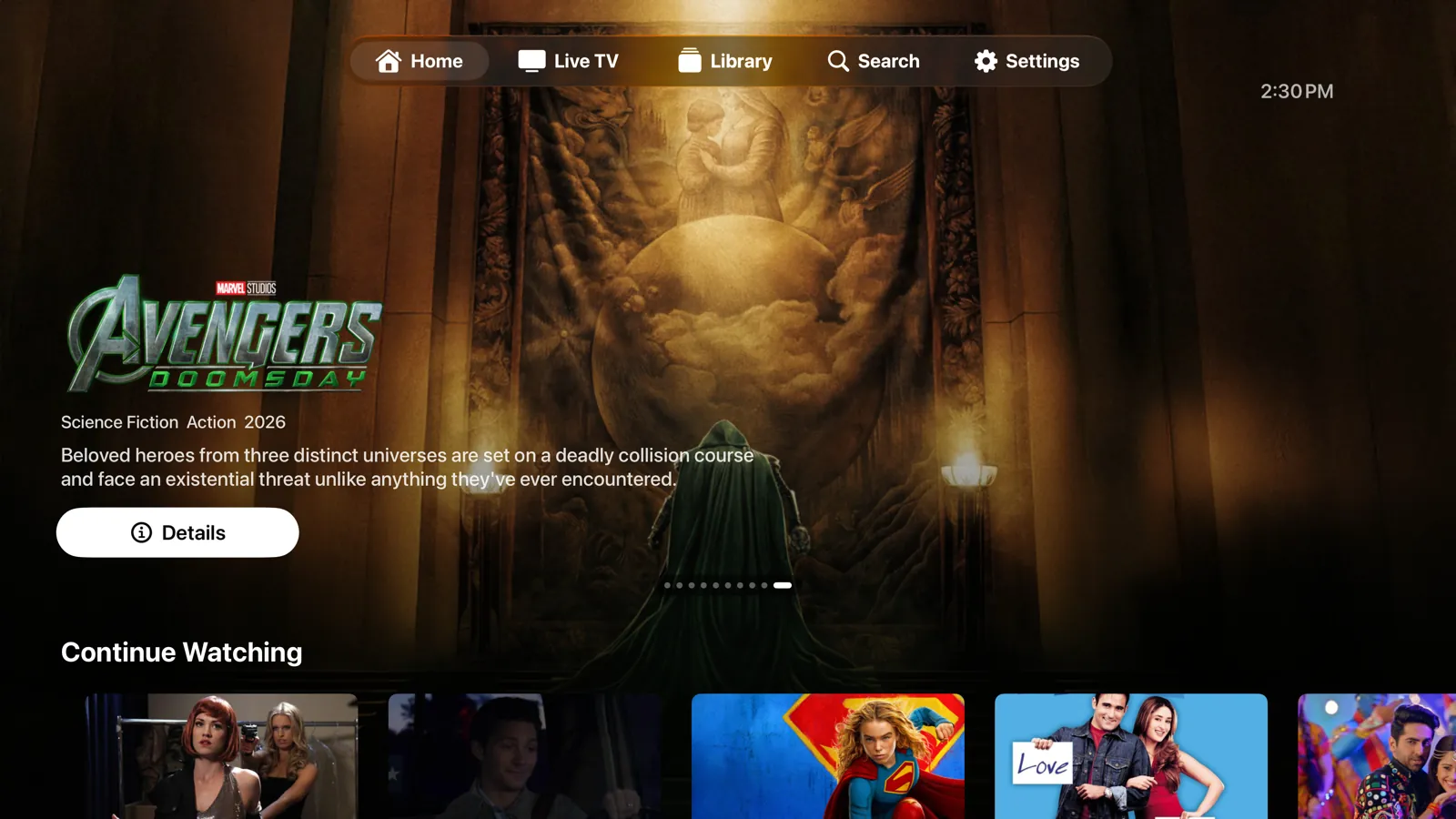
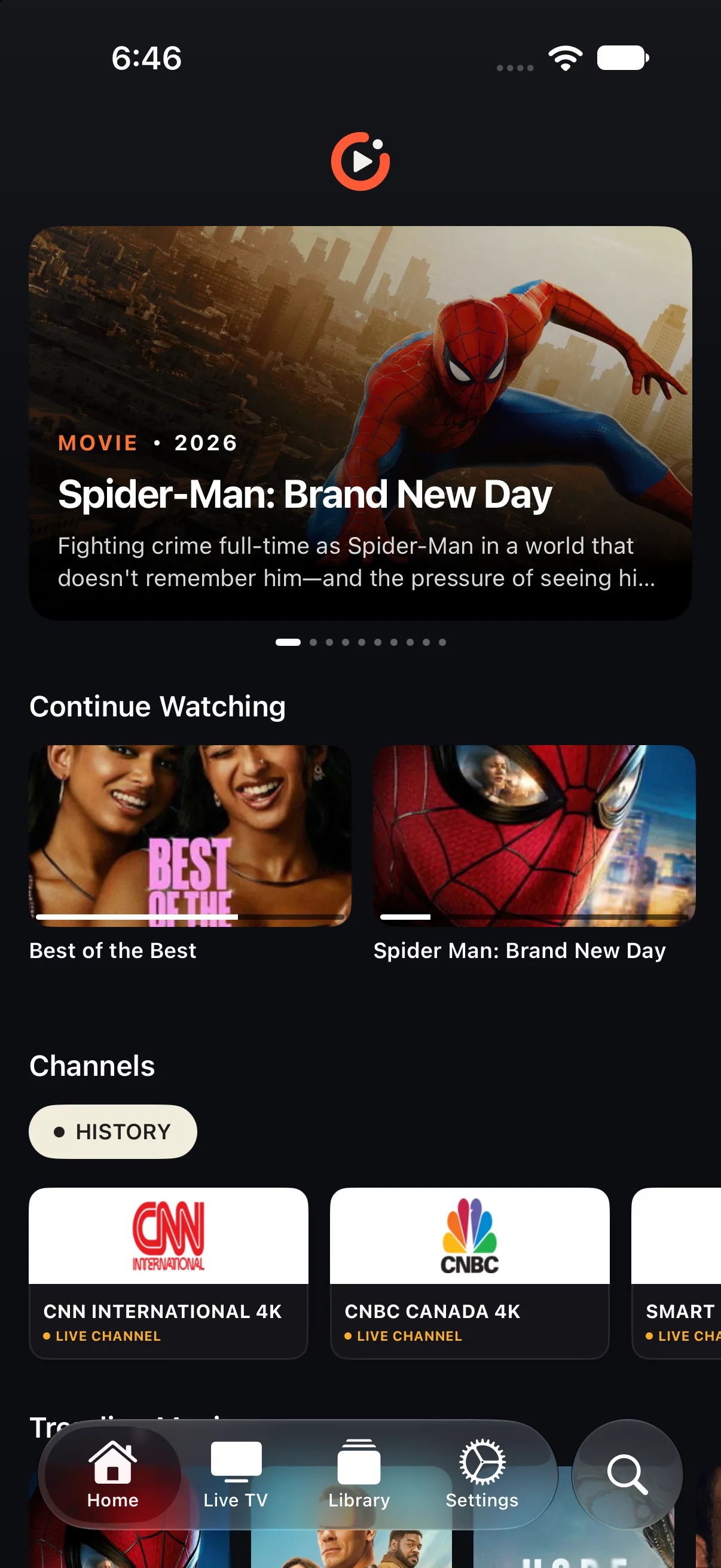
Orvix brings your IPTV playlists and your Plex, Jellyfin and Emby libraries into one cinematic app — with a real guide, fast zapping and setup from your phone.
Firestick? Downloader code
Works with your sources and accounts
Bring your own accounts and servers. Orvix includes no content.
Native on each platform, tuned for the remote in your hand — or your thumb.
None of the sluggish web-wrapper feel of older IPTV apps. Credentials stay on your device — no relays, no account.
Hardware-first playback starts channels quickly and retries when a stream stumbles — no web-wrapper spinner.
IPTV, Plex, Jellyfin and Emby together. One card per title across servers, with TMDB posters, cast and episode guides.
Now and next, favourites, catch-up, last-channel and your own channel numbers in a couch-made grid.
Pause and rewind live TV where your provider keeps an archive, and skip intros or credits on media-server titles.
Save movies and episodes from Plex, Jellyfin or Emby to iPhone or iPad, including a smaller copy for the road.
Scrobble plays, mark titles watched, import your history and keep a watchlist in sync.
Switch audio tracks, remember the language per title, and add external subtitles from OpenSubtitles when the file has none.
A directional focus engine tuned for Siri Remote, D-pads and Fire TV remotes. No mouse cursor, no dead ends.
Credentials stay on your device — Keychain on Apple platforms, app-private storage on Android. No account, no stream relay.
Also inside
Recent updates across Apple TV, iPhone, iPad, Android TV and Fire TV.
Skip intro and credits on media-server titles, and pause or rewind live channels where your provider keeps an archive.
Plex, Jellyfin and Emby titles appear once, with every server copy under Sources. Mark a season watched and keep your place across devices.
The TV shows a QR code and a short code. Send a provider from your phone in seconds — it arrives switched on and sets itself up.
Scrobble playback, import watched history, keep a watchlist and rate titles from the detail page.
Typing portal URLs and long passwords with arrow keys is miserable. Do it once on your phone instead.
Media-server sign-ins for Plex, Jellyfin and Emby stay on your device; send those from Orvix on your phone, not this page.
Every build is native, free during the beta, and updates itself.
Android TV 7.0 or later · Fire OS 6 or later · hardware decode with FFmpeg audio fallback
tvOS 17 and iOS 17 or later
No. Orvix is a player only and hosts no streams. You add your own legally obtained Stalker portal, Xtream login, M3U playlist, or media server.
Downloader is a free Fire TV utility. Typing 6384407 jumps straight to our APK installer, so you never type a long URL with the remote.
Open Orvix on your TV and choose Set up with your phone: it shows a QR code and a short code. Scan the QR, or enter the code at orvix.tv/send on your phone, and fill in your IPTV provider with a real keyboard. The TV shows what arrived, imports it, and sets it up. The code works for 1 hour and the data is deleted as soon as the TV collects it.
Yes. Orvix emulates the MAG handshake, including virtual MAC, serial and device IDs, so portals work on Apple TV, iPhone, iPad and Fire TV alike.
Yes. Sign in to your server in the app and your libraries appear in a unified Library hub, with collections, up-next episodes, watched state synced back to the server, and one card per title across servers. Plex Home users, Jellyfin Quick Connect and Emby Connect are supported. Jellyfin and Emby Live TV can also sit next to your IPTV channels.
On iPhone and iPad you can download movies and episodes from Plex, Jellyfin and Emby, including a smaller 1080p, 720p or 480p copy when the server supports it. IPTV channels and provider VOD are not downloaded.
Yes, on Xtream and M3U channels that advertise an archive, and via a local rolling buffer where playback supports it. Stalker portals only get this where their archive works; not every portal does.
Yes. Connect either account to scrobble playback, mark titles watched, import watched history and keep a watchlist. Titles need a TMDB match for the tracker features; IPTV provider-only titles may not sync.
Orvix plays what your device decodes in hardware: H.264, HEVC, VP9 and AV1 where the chip supports them. On Android TV, bundled FFmpeg audio covers AC-3, E-AC-3, DTS and TrueHD on sticks that lack those decoders. Plex, Jellyfin and Emby files that won’t direct-play are transcoded by the server; IPTV is never transcoded on-device. Dolby Vision depends on the device and profile, so unsupported files are reported rather than shown with wrong colours.
Yes. Credentials stay on your device: Keychain on Apple platforms and app-private storage on Android. Setup sent from your phone is held in memory for at most 1 hour and deleted when your TV collects it. We run no stream relays and require no account.